
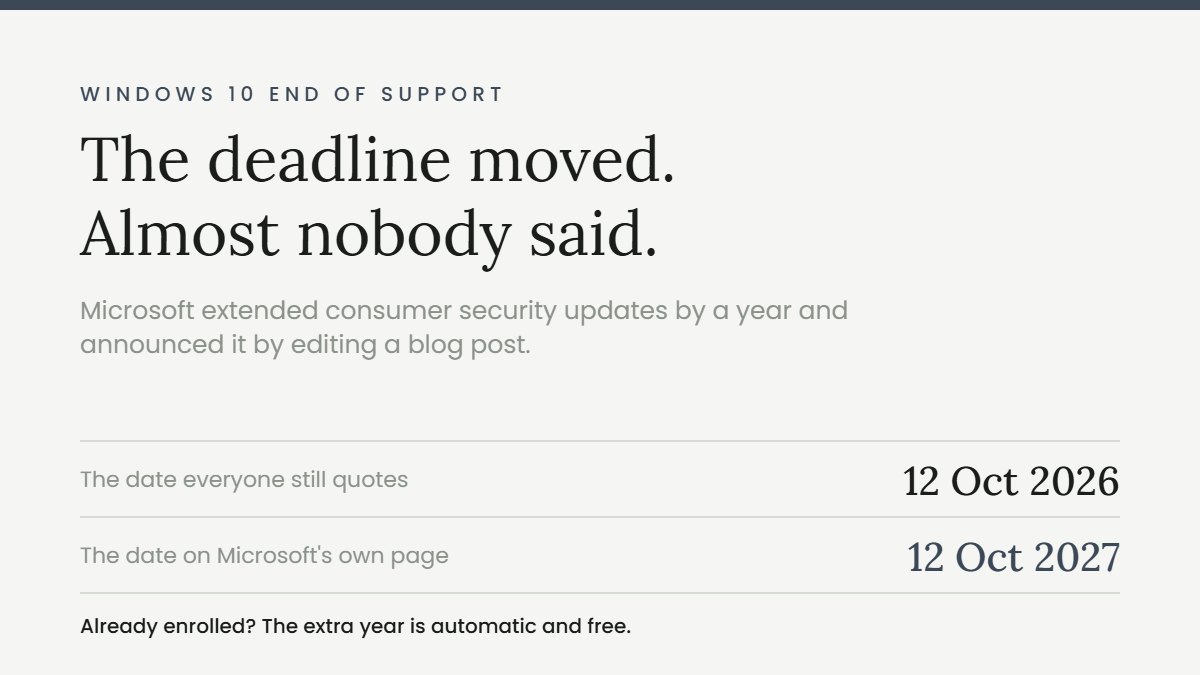
If you have been told your PC stops getting security updates next month, check the date again. Windows 10 end of support for consumers now runs to 12 October 2027, not 12 October 2026. Microsoft moved it in June and announced it by editing a blog post.
There was no press release. The change arrived as an editor’s note appended to a year old post, plus a quiet documentation edit. Most of the internet is still working from the old date, and so, in places, is Microsoft.
Key takeaways
- Consumer Extended Security Updates now end 12 October 2027. Microsoft’s own page says so: “The program ends on October 12, 2027.”
- If you already enrolled, you get the extra year automatically. No action, no additional payment.
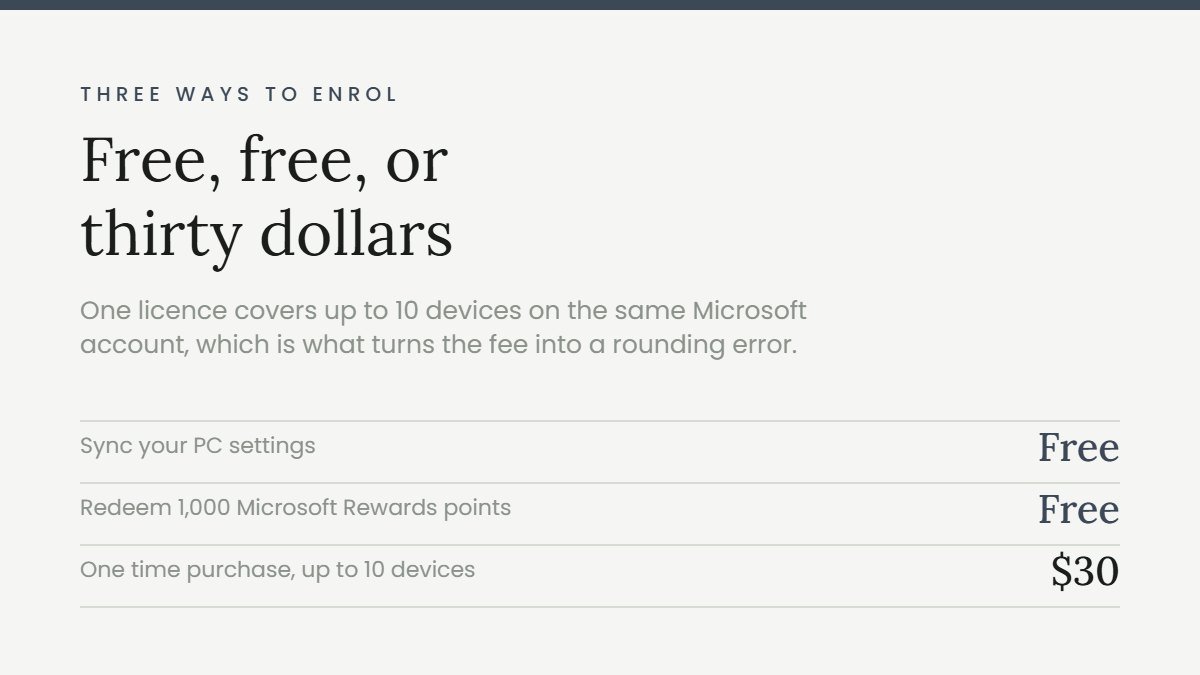
- You can still enrol at any point before the programme ends. Free if you sync your PC settings, free for 1,000 Microsoft Rewards points, or $30 once.
- That $30 covers up to 10 devices on the same Microsoft account, which is the detail that turns it from a tax into a rounding error.
- Microsoft’s own support forum was still giving out the old date in May 2026, and those answers have never been corrected.
- Microsoft 365 apps and Edge run longer than ESU does, to around October 2028.
What Windows 10 end of support actually means now
Windows 10 end of support is really two dates, and conflating them is where most of the confusion starts.
Windows 10 itself went out of support on 14 October 2025. That has not changed. Mainstream servicing ended, the final version is 22H2, and the operating system is no longer being developed.
Extended Security Updates are the bridge after that. For consumers, that bridge was originally one year, ending 12 October 2026. On 25 June 2026 Microsoft extended it by a further year, to 12 October 2027. Microsoft’s wording, in the editor’s note: the programme “is being provided for an additional year”, and “if you’re already enrolled, your coverage will automatically continue through that date, no action needed.”
So the practical position for a home user in September 2026 is: your machine is receiving critical and important security patches, and it will keep receiving them for another thirteen months. That is not “supported”, but it is a long way from “abandoned next month”.
Three ways to enrol before Windows 10 end of support
| Route | Cost |
|---|---|
| Sync your PC settings with a Microsoft account | Free |
| Redeem 1,000 Microsoft Rewards points | Free |
| One time purchase | $30 plus tax |
One licence covers up to 10 devices. Microsoft states it plainly: “You can use your existing ESU license for up to 10 devices.” If you have three old laptops in the house, that is $30 total, not $90.
Microsoft also notes that “enrollment options and timing may vary by region, such as in the European Economic Area”. It does not spell out how, so if you are in the EEA, check what your machine actually offers rather than assuming the US terms apply.
Your PC must be on Windows 10 version 22H2 to enrol. Enrolment is not offered at all for devices in kiosk mode, or devices joined to an Active Directory domain or Microsoft Entra, or devices enrolled in a mobile device management system. That is the consumer programme drawing a line around work machines, which have their own track.
What you get, and what you do not
ESU is narrower than people assume, and it does not undo Windows 10 end of support. It patches one category of problem. Microsoft delivers critical and important security updates only, as rated by the Microsoft Security Response Center. Moderate and low severity issues are not patched.
And in Microsoft’s words, enrolment “does not provide other types of fixes, feature improvements, or product enhancements. It also does not come with technical support.” If something breaks, you are on your own.
Two things run longer than ESU, which nobody mentions:
| Component | Supported on Windows 10 until |
|---|---|
| Microsoft 365 apps, security updates | 10 October 2028 |
| OneDrive desktop app on 22H2 | 10 October 2028 |
| Microsoft Edge and WebView2 on 22H2 | at least October 2028 |
Microsoft 365 feature updates stop at version 2608 and the apps then stay frozen there on security only. But your Office apps and your browser do not fall over when ESU ends. They outlive it by roughly a year.
Microsoft is still publishing the old Windows 10 end of support date
This is the part that explains why the wrong date is everywhere. It is not only third party blogs. It is Microsoft’s own properties.
| Microsoft page | What it says | Last touched |
|---|---|---|
| Microsoft Q&A, moderator answer | “October 13, 2026, is the official end date of the consumer ESU program itself” | 8 March 2026 |
| Microsoft Q&A, second thread | Consumer ESU has “1 year duration and cannot be extended” | 23 May 2026 |
| Windows 10 lifecycle page | Does not mention ESU at all | 17 September 2024 |
| Edge support lifecycle | Ties Edge support to “the end of the ESU program” | 11 June 2026 |
Notice the second row in particular. In May 2026, a month before Microsoft extended the programme, a Microsoft moderator told a user in writing that consumer ESU “cannot be extended”. It was extended four weeks later. The answer still stands where it was posted.
There is also a smaller discrepancy worth knowing about: Microsoft’s forum answers say 13 October 2026 and the press coverage says 12 October 2026. Both dates circulate for the old deadline. It no longer matters, but it tells you how carefully the original date was documented.
What happens when Windows 10 end of support finally arrives
Worth being precise about this, because both the panic and the shrug are wrong.
Nothing switches off. The machine boots, your files are there, your programs run. There is no kill switch and Microsoft has never had one. What stops is the monthly patch that closes newly discovered holes.
The risk is cumulative rather than immediate. On day one after Windows 10 end of support your PC is exactly as secure as it was the day before. Six months later it is carrying every vulnerability found in that window, permanently. That is why the honest advice is not “replace it now” and not “it is fine”, but “know your date and have a plan before it”.
The practical exposure is highest for anything facing the internet: the browser, email, and documents from outside. A machine used offline, or for one piece of hardware that has no modern driver, is a very different risk from a machine doing online banking.
Why the old date spread so widely
Two reasons, and both are worth understanding if you want to judge the next announcement.
The first is that the original 12 October 2026 date was announced loudly, in June 2025, with a blog post and full coverage. The extension was announced quietly, as an amendment to that same post. Loud news travels and quiet corrections do not.
The second is that a lot of Windows 10 end of support coverage was written to sell something. “Your PC dies in October” moves hardware. An extra year of free patches does not. The commercial incentive all points one way, and it points at the old date.
The business version is a different product
If you are reading this for a work machine, the commercial ESU track is separate and it is not cheap. It runs three years and the price doubles annually.
| Year | Per device | Ends |
|---|---|---|
| Year 1 | $61 | October 2026 |
| Year 2 | $122 | October 2027 |
| Year 3 | $244 | 10 October 2028 |
| Three year total | $427 |
It is cumulative. Buying in year two means paying for year one retroactively as well. There are no partial periods. It is also free for Windows 10 virtual machines running on Windows 365, Azure Virtual Desktop and Azure VMs.
Microsoft 365 is a subscription, and if this is the moment you are auditing what renews, the same question applies to everything else on the card. Here is how to cancel subscriptions you forgot you had.
Who this actually affects
As of August 2026, StatCounter put Windows 10 at 30.14% of Windows desktops worldwide, against 68.6% for Windows 11. Roughly three in ten Windows machines are in this position.
A large share of them cannot upgrade for free. Windows 11 requires TPM 2.0, a UEFI system with Secure Boot capability, a processor on Microsoft’s supported list, 4 GB of RAM and 64 GB of storage. The TPM and CPU requirements are what strand otherwise healthy machines, and no amount of RAM fixes either.
Which is exactly why the extra year matters. Pushing Windows 10 end of support out to 2027 does not fix the hardware wall, it moves the date you have to deal with it. A working PC is worth keeping until it is not.
And if you do decide to replace the machine rather than extend it, do not let a date do the deciding. The 2026 iPhone price increases are a reminder that hardware prices move for reasons that have nothing to do with your deadline.
What to do this month
- Check you are on 22H2. Settings, System, About. If you are not, update first, because ESU will not enrol you otherwise.
- Enrol if you have not. Settings, Update and Security, Windows Update. The enrolment prompt appears there. Take the free route if you are willing to sign in with a Microsoft account.
- If you already enrolled, do nothing. The extension is automatic.
- Check whether your PC can run Windows 11 using the PC Health Check app, so you know now whether the eventual answer is an upgrade or a new machine.
- Do not buy a PC this month because of a deadline that moved. If the machine is slow or failing, that is a real reason. A Windows 10 end of support date in October 2026 is not, because it is not the date any more.
Checked against Microsoft’s published pages on 13 September 2026. Microsoft has changed this date once already with no announcement, so verify before acting on anything time critical.
Sources
- Microsoft, Windows 10 Extended Security Updates for consumers
- Microsoft Learn, Extended Security Updates, including commercial pricing
- Microsoft, Windows 10 Home and Pro lifecycle
- Microsoft, Microsoft 365 apps support on Windows 10
- Microsoft, Microsoft Edge support lifecycle
- Microsoft, Windows 11 system requirements
- BleepingComputer, Microsoft quietly extends free Windows 10 ESU support to October 2027
- StatCounter, Windows version market share